
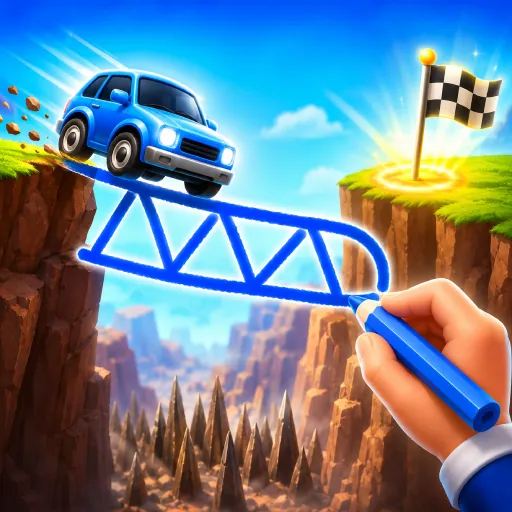
About Draw Bridge
Draw Bridge is a sketch-and-test physics puzzle. Each level shows a car, a gap, and a destination. You draw the bridge — any shape, any thickness — and when you hit go, gravity and the car's weight decide whether your structure holds.
There is no right answer. A flat slab works on small gaps. A truss holds bigger spans. A bent S-curve sometimes survives weight that a straight beam cannot. Reset and redraw freely; the game is about the experiment.
How to play
Use your finger or mouse to draw a bridge over the gap. Tap go to send the car. If the bridge collapses, redraw and try again.
| Desktop | Click and drag to draw, click go to test |
|---|---|
| Mobile | Touch and drag to draw, tap go to test |
Tips & tricks
- Anchor the bridge to both edges of the gap — a floating slab will not hold.
- Triangles are stronger than straight beams; add a brace under long spans.
- Save material on small gaps and use it on the wider ones later.
- If the bridge buckles in the middle, add a vertical support from below.
- Reset early. Iteration beats over-engineering.
Thinking like an engineer
Draw Bridge has no single correct answer, which is exactly the point — it is a sandbox where the physics judge your structure. For small gaps a simple flat slab holds; for wider spans a triangulated truss spreads the car’s weight far better than a single beam. Anchor your drawing firmly to both edges, keep early shapes thicker than you think you need, and watch where the bridge sags on the first run to see where to reinforce. Resetting and redrawing freely is how the puzzle is meant to be solved.
Frequently asked questions
Are there unlimited materials?
Each level has a set ink budget. Spending less earns a higher rating.
Can the bridge fail mid-crossing?
Yes — if it cracks or buckles under the car, the level fails and you can retry.
Does the game work on touchscreens?
Yes — drawing is built around touch input.
Are there level ratings?
Levels are rated based on how cleanly the car crosses and how little ink you used.